An RJ45 USB combo connector packages an Ethernet jack and one or more USB receptacles in a shared mechanical assembly. For an OEM designing a compact controller, industrial PC or gateway, that arrangement can simplify the alignment of several interfaces along one panel edge. It also fixes their relative positions, so the decision needs to involve the enclosure, PCB and interface requirements together.
Choose the architecture before treating the part as a purchasing substitute for separate connectors. Ethernet speed does not determine USB capability, and a shared housing does not make two footprints interchangeable. The most useful selection process starts with independent interface requirements, checks actual manufacturer drawings and ends with samples evaluated in the intended panel and board.
Define the RJ45 USB Combo Connector Requirements Separately
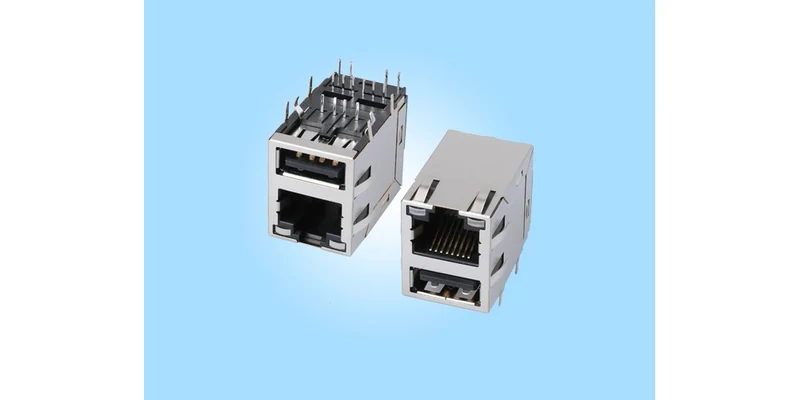
Start an RJ45 USB combo connector specification with two interface descriptions. On the Ethernet side, identify the PHY, required network rate, transformer arrangement, LED connections and any power-related requirements. On the USB side, specify the connector form, required USB generation, port count, intended role, counterpart and current requirement. Include whether both interfaces will operate at the same time.
These are independent choices. A Gigabit Ethernet jack can be combined mechanically with USB 2.0; the network rate alone does not establish USB 3.0 capability. Equally, two USB openings do not establish their electrical generation. Use the model-specific drawing and pin description, rather than housing colour, a distributor photograph or the word “high-speed” in a general description.
A magnetic RJ45 connector integrates Ethernet magnetics according to its schematic. The USB portion still requires the appropriate USB controller, routing, power delivery and protection on the OEM board. This mechanical combination is not a USB-to-Ethernet adapter and does not convert traffic between the two interfaces. It cannot replace the PHY or supply a USB host function merely because both sockets share a shielded body.
Define the actual use case before selecting the USB section. A service port for a particular peripheral may have different requirements from a port carrying large files or powering an external device. Provide those requirements to the supplier; do not infer charging capability or a universal current limit from the receptacle shape. USB-IF’s technical resources and FAQs help distinguish interface compliance from informal product naming, but they do not establish certification for an individual GLGNET model.
Compare an RJ45 USB Stacked Connector With Separate Ports
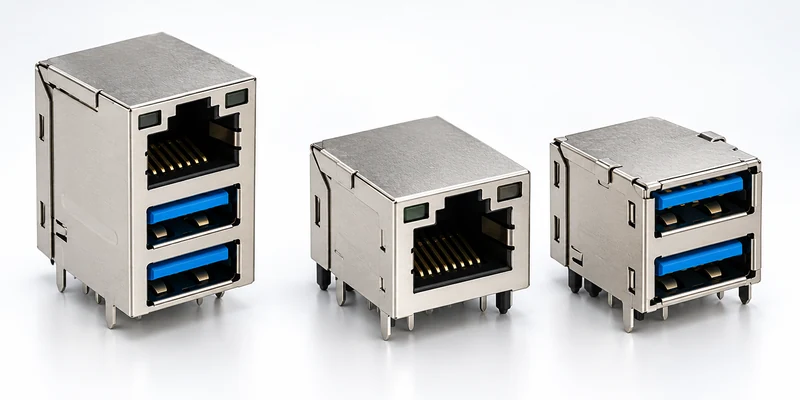
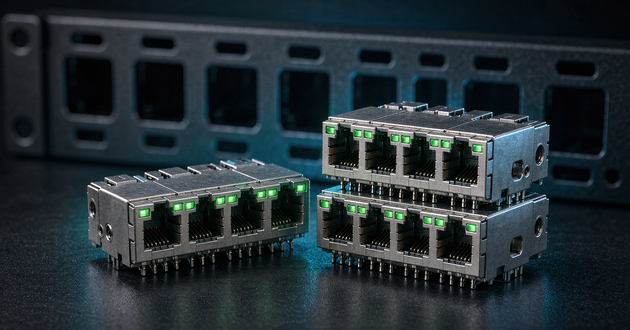
An RJ45 USB stacked connector is useful when the required interfaces belong in the same vertical panel area and the product has sufficient height. Separate connectors offer more freedom to change spacing, orientation or the location of one interface. The comparison should include the complete assembly envelope, rather than only the width of the visible openings.
| Design question | Shared combo body | Separate board connectors |
|---|---|---|
| Panel arrangement | Relative port positions fixed by one assembly | Interfaces can be positioned independently |
| Space to evaluate | Height, depth, mounting pattern and cable access together | Individual bodies plus separation and routing space |
| PCB routing | Ethernet and USB termination areas concentrated locally | Interfaces can be placed nearer their respective controllers |
| Assembly and servicing | One combined component to install or replace | Each connector can be handled separately |
| Future interface change | Recheck the complete assembly and footprint | One interface may change with less effect on the other |
Neither arrangement is universally smaller or cheaper. A stack may conserve panel width while increasing height or concentrating routing demand behind the connector. Compare the actual proposed models, the same interface count, PCB keep-outs, panel constraints and assembly method before claiming a space saving. A percentage quoted for another design is not a measured saving on your board.
Consider servicing early. A wide USB plug, security dongle or large Ethernet boot can obstruct access to the neighbouring port even when the connector bodies fit. Evaluate the intended accessories together, including how a technician reaches the RJ45 latch. Separate ports may be preferable when the USB accessory is bulky, users need frequent access, or the enclosure requires the ports on different faces.
A combined body can make sense when the enclosure is already built around that vertical arrangement and the board can accommodate both signal paths. It deserves a more careful review when an existing product is being converted from separate connectors: the old panel opening and PCB space should not be assumed to accept the new stack.
Read Two GLGNET Magnetic RJ45 USB Combo Drawings
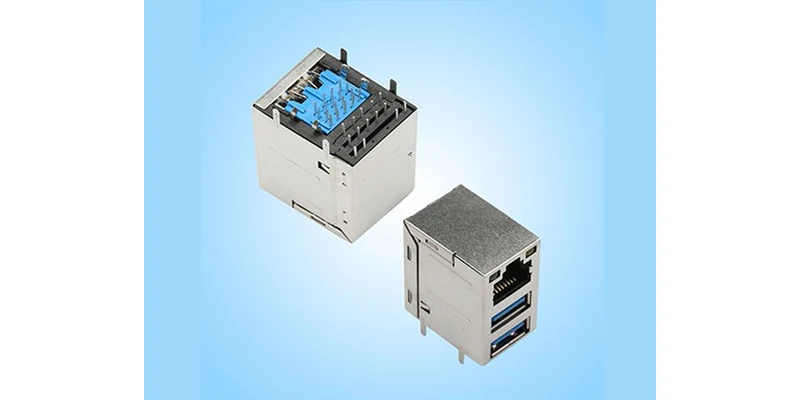
Two magnetic RJ45 USB combo examples show why a family name is not enough for selection. GLGNET’s ULBU1T435-D/4Y product page links to file 130042-00311, which describes an RJ45 plus single USB 2.0, through-hole assembly for 10/100BASE-T. The public page and linked PDF use different suffix formatting: the PDF title block reads ULBU1T435-D4/Y. Confirm the complete ordering code and LED configuration before entering either notation into the BOM.
The 4ULBA1S804-Y/D4 product page links to file 130045-00811. That drawing describes RJ45 plus double USB 3.0 with 10/100/1000BASE-T. Its USB pin table identifies the USB 2.0 signal pair and additional SuperSpeed transmit and receive pairs. The extra USB opening is accompanied by a different interface generation and termination arrangement, not simply an extra socket on the same footprint.
| Published field | File 130042-00311 | File 130045-00811 |
|---|---|---|
| Ethernet interface | 10/100BASE-T | 10/100/1000BASE-T |
| USB arrangement | Single USB 2.0 | Double USB 3.0 |
| Published body dimensions, L × W × H | 29.05 × 16.8 × 21mm | 27.5 × 19 × 30.55mm |
| Mounting and entry | Through-hole, side entry, latch-up | Through-hole, side entry, latch-up |
| Operating temperature | 0°C to +70°C | 0°C to +70°C |
| PoE support in model-specific web table | None | None |
Treat these as published examples for architecture review, not a declaration of interchangeability or current availability. The dimensions describe the listed bodies; shield terminals, mounting features, panel engagement and mating accessories also require clearance. Use the complete drawing with its tolerances and ask for the current controlled revision before fixing the enclosure.
The model-specific information also limits the claims an OEM should make. Neither example is established here as a 10G, PoE or extended-temperature product. Broad statements elsewhere on a product-family page do not upgrade the Ethernet rate, power capability or temperature of these particular parts. If the application needs a different combination, request a matched configuration and supporting documentation.
Check the RJ45 USB Combo Connector Panel Fit and PCB Footprint
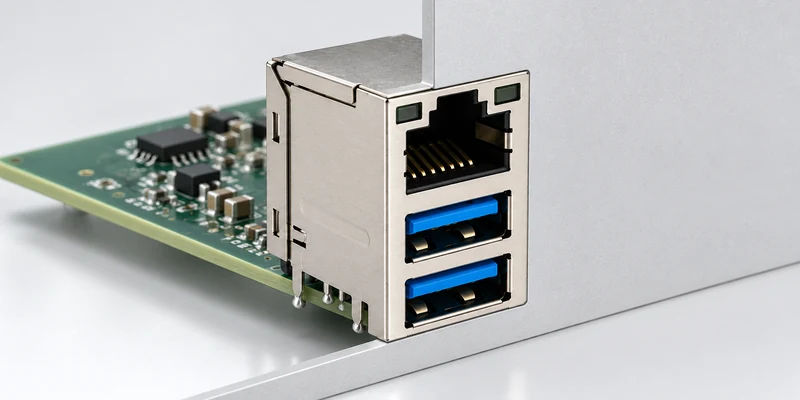
Check an RJ45 USB combo connector in mechanical CAD and the PCB library at the same stage. The panel opening, board edge, connector seating position and stack height have to agree. Include panel thickness, chassis engagement and the assembly path: a component can fit the final opening but still be difficult to install if the board cannot move into position around the panel.
Read the recommended PCB layout in the view stated on the drawing. Both examples identify a component-side top view. Mirroring a layout or borrowing a similar-looking footprint can misplace signal holes, LEDs, mounting features or shield tabs. Check the RJ45 connector pinout against the Ethernet schematic and map the USB terminations independently. Shared mechanical packaging does not give them a shared signal pinout.
The double-USB drawing illustrates the extra review required for USB 3.0. Its terminal description includes separate signal pairs, power return and shield-related connections. Engineering must assign those terminals to the correct controller and reference the applicable layout guidance. Do not route the USB section using only the simpler four-signal arrangement visible on a USB 2.0 interface, or assume that the Ethernet magnetics perform USB signal conditioning.
Review chassis and shield connections with the equipment’s EMC design. Confirm which tabs belong to which shield structure and how they meet the intended chassis or board connection. A metal exterior alone does not demonstrate system EMC compliance. Likewise, a published Ethernet isolation parameter does not define USB protection or the finished equipment’s insulation arrangement.
Then check assembly details that can be hidden in a front photograph: drill sizes and tolerances, board thickness, terminal protrusion, component clearance, solder access and inspection access. The two public drawings recommend wave soldering with a stated peak limit; that does not establish compatibility with every production process. Submit the actual assembly method if it differs from the documented recommendation.
Finally, test cable access with all intended ports occupied. Include a large Ethernet boot and the actual USB device or cable, rather than just bare plugs. The useful result is confirmation that users can insert, remove and identify each connection without forcing an adjacent cable or reaching an inaccessible latch.
Prepare an RJ45 With Magnetics and USB Sample Request
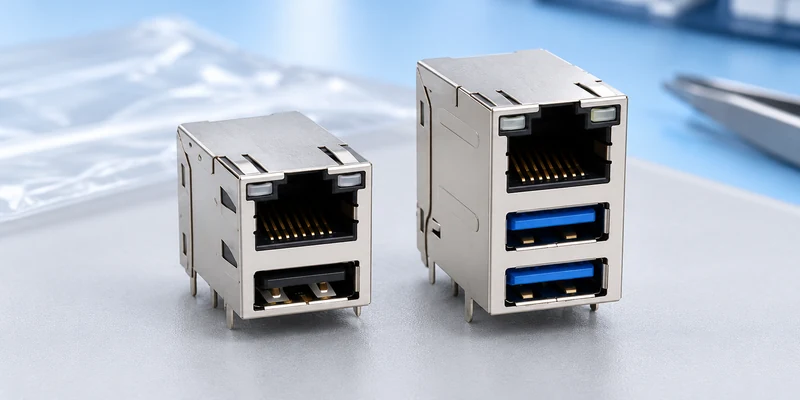
For an RJ45 with magnetics and USB assembly, a productive sample request describes both interfaces and the mechanical conditions they must share. Send the Ethernet PHY and network rate, magnetics requirements and LED arrangement, together with USB generation, port count, role, current requirement and intended counterpart. Identify any required performance or compliance documents instead of assuming they accompany every sample.
Provide the panel drawing, PCB layout or proposed footprint, board thickness, enclosure constraints and assembly process. Mark the connector seating position and any restrictions on height, depth or cable access. If replacing separate connectors, include their locations and explain which panel dimensions are fixed. This allows a supplier to flag a conflict before recommending a body that fits only the nominal opening width.
Agree what the samples are intended to prove. Mechanical review should cover seating, retention, panel engagement and access with both interfaces populated. Electrical review should cover the required Ethernet and USB functions, including simultaneous use under the intended operating conditions. The OEM’s board, controllers, cables and software participate in that result; a connector sample alone cannot validate the complete interface implementation.
Keep the approved drawing, full ordering code and sample configuration together when releasing the BOM. For the single-USB example, resolve the public suffix discrepancy explicitly. Record any LED, plating, USB or footprint variation in the approval record rather than relying on a shortened description such as “RJ45 plus USB.” The custom connector design checklist before prototyping covers wider project preparation when additional mechanical changes are needed.
Start with GLGNET’s magnetic RJ45 product range, then request combo-interface model matching and drawings using the Ethernet, USB, panel and PCB information above. A useful quotation identifies the complete proposed configuration and unresolved requirements, so engineering can approve the architecture before purchasing commits to production quantities.
RJ45 USB Combo Connector FAQs
When should an OEM choose a combo connector over separate ports?
Choose it when the required Ethernet and USB interfaces fit the same fixed panel arrangement, the stack height is acceptable, and the PCB can accommodate both termination areas and routing. Compare actual parts and test accessory clearance. Separate ports remain useful when their positions or servicing requirements need more independence.
Does Gigabit Ethernet in a combo connector imply USB 3.0?
No. Ethernet rate and USB generation are separate specifications. Confirm each from the exact model’s drawing, pin table and supporting information. Neither the shared housing nor the USB insert colour is sufficient proof of USB capability.
Can single-USB and dual-USB combo parts share the same footprint?
Do not assume so. The two GLGNET examples have different body dimensions, USB arrangements and recommended PCB layouts. Compare the complete terminal pattern, mounting holes, shield features and panel position before considering any replacement.
For related connector guidance, review the ganged vs. stacked magnetic RJ45 layout guide, the RJ45 LED connector troubleshooting guide, the 2.5G vs 5G vs 10GBASE-T MagJack selection guide, the PoE magnetic RJ45 connector guide, and the RJ45 gold plating thickness buying guide. Browse GLGNET’s magnetic RJ45 connector portfolio or explore networking connectivity solutions for more.