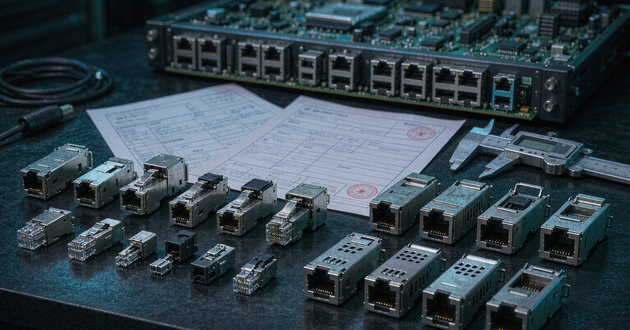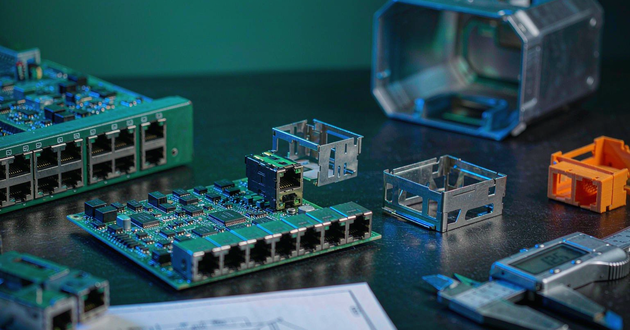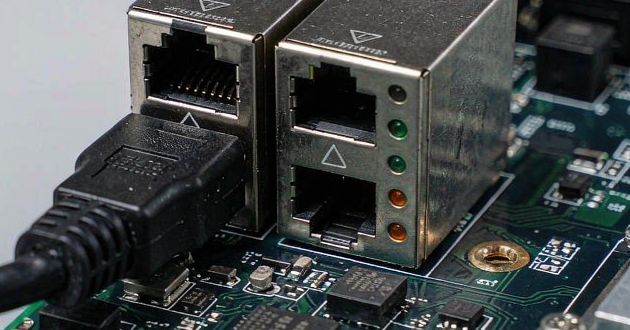
Ganged vs stacked magnetic RJ45 selection starts with the complete port arrangement: the number of Ethernet connections, available panel width, connector height and space behind the panel. A single row can suit a shallow-height enclosure; two rows can put more ports along a restricted panel edge. Neither arrangement automatically provides the better PCB layout.
For an OEM switch or gateway, the useful decision is whether a qualified connector fits the assembled equipment and remains accessible when cables are installed. Compare the same total port count, then check the actual footprint, latch access and electrical requirements. Two GLGNET examples below show how to turn those constraints into a drawing review and a useful sample request.
Set the Magnetic RJ45 Connector Port Count and Panel Envelope
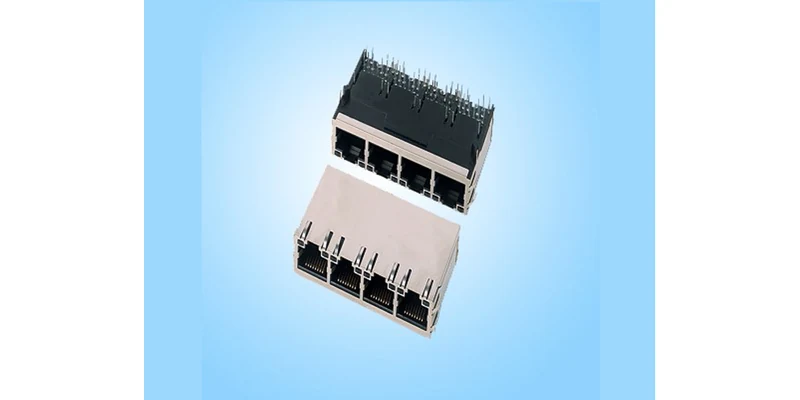
Define the complete bank before choosing a magnetic RJ45 connector. A four-port module and an eight-port module answer different capacity requirements, even when their front widths look similar. For an eight-port project, compare the stacked candidate with the entire proposed single-row arrangement, including gaps between separate modules.
Record the panel area that the ports can occupy and the PCB position behind it. Include the distance from the PCB surface to the enclosure, the available depth behind the connector and nearby obstructions. A connector can fit the panel opening while conflicting with a board support, heatsink or internal cable immediately behind it.
Separate the connector body from the installation envelope. The latter includes shield fingers, locating features, protruding leads, solder clearance and cable access. Public product dimensions help narrow the search; the mechanical drawing determines which surfaces and features those dimensions describe.
Fixing a panel opening before reviewing a connector drawing can leave little room to correct a late mismatch. Bring the enclosure and PCB drawings into the same review, using a common board datum and viewing direction. Purchasing can then request candidates within defined limits instead of asking for an unspecified “compact eight-port jack.”
Identify what is already fixed. A replacement board may have an immutable panel opening, whereas a new enclosure may allow the port height to move. Marking these constraints early prevents a supplier from proposing a smaller housing that requires an unacceptable change to the board edge or front panel.
Compare Ganged vs Stacked Magnetic RJ45 Layouts
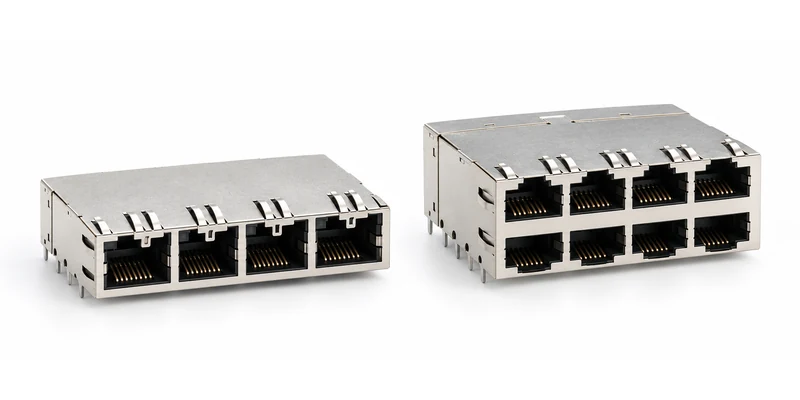
A ganged arrangement places several ports side by side, commonly described as 1×N. A stacked arrangement adds a second row, commonly 2×N. In this terminology, a 1×4 module has four ports and a 2×4 module has eight. The shape describes their placement, rather than their Ethernet rate or PoE capability.
The relevant trade-off is how the complete arrangement uses panel width, vertical clearance and board space. A stacked bank can reduce the horizontal span needed for a given port count, while adding a second row and another cable-access level. Its PCB footprint may also require more depth or different routing escape areas. These are drawing-dependent questions.
| Design constraint | Ganged single-row arrangement | Stacked two-row arrangement |
|---|---|---|
| Restricted panel height | Often easier to accommodate | Check both rows and full protruding features |
| Restricted panel width | Check the complete row and module gaps | Can concentrate the required ports horizontally |
| Cable servicing | Access is along one row | Upper and lower rows must remain reachable |
| PCB implementation | Review the full row's pin field | Review both rows' pin field and routing escape |
| Loaded operation | Validate the proposed port bank | Validate the proposed port bank |
Use this comparison to reject an unsuitable geometry, then compare qualified candidates. A universal claim that stacking saves a fixed percentage of PCB area ignores the footprint, mounting features and spaces around the assembly. Keep those dimensions in the comparison rather than estimating savings from a front photograph.
Also consider the assembly as a serviceable unit. A shared multiport body is handled and replaced as that assembly; it does not give each port the independent placement freedom of separate jacks. Review the consequences for assembly access and board rework with the manufacturing team before selecting a larger grouped module.
Check RJ45 Jack Connector Latch Access and PCB Keep Out
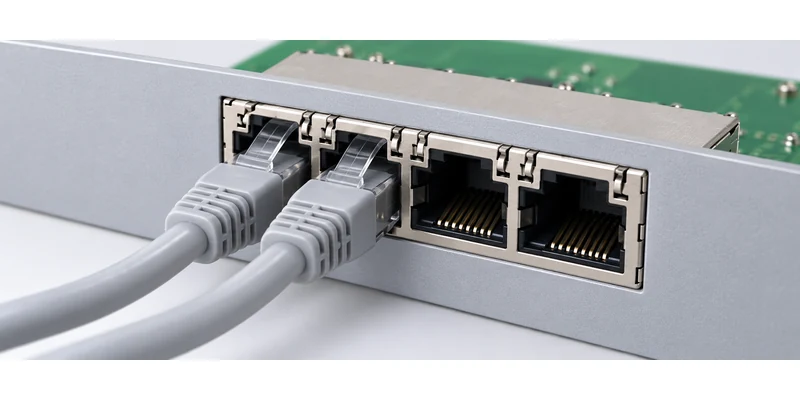
Evaluate an RJ45 jack connector with the cables that the equipment will actually use. Plug boots can extend beyond the bare plug body, and their release mechanisms need access. Insert and remove a cable from an inner port with adjacent ports already populated. For a stacked assembly, repeat the check on both rows.
The latch orientation matters as much as the number of openings. Tab-up, tab-down and mixed arrangements change where a user reaches to release a cable. Check the panel lip, neighboring USB or optical interfaces and any retaining bracket. A clear front opening does not demonstrate that a release tab remains reachable in the finished enclosure.
On the PCB, work from the recommended land pattern and its stated viewing direction. Match signal pins, LED connections, shield terminals and locating holes. The RJ45 connector pinout on the board side is not simply the eight cable contacts repeated across the module; integrated magnetics and indicator circuits add connections that need separate review.
This distinction is also emphasized in LINK-PP's integrated RJ45 pinout and footprint reference: the PCB land pattern must come from the selected connector. A familiar port count cannot establish footprint compatibility.
Check the space beneath and behind the module as well. Through-hole leads, solder access, nearby copper restrictions and supporting hardware can affect the usable area. Confirm the allowed regions with the connector drawing and PCB manufacturing plan before routing tightly around the housing.
Cable clearance extends beyond the latch. Route the installed cable toward its expected exit and check its specified bend limits without forcing it against another plug or the panel edge. Leave this check tied to the intended cable assembly; a universal bend distance would overlook different cable diameters and boot designs.
Review Power and Heat in a Multiport Magnetic RJ45 Connector
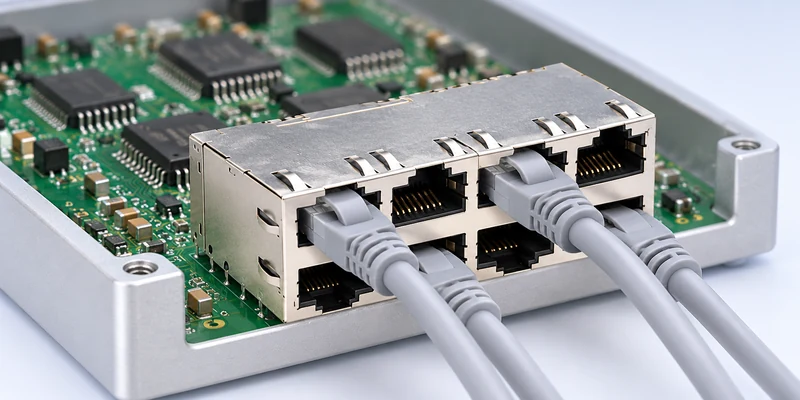
For a PoE design, assess a multiport magnetic RJ45 connector under the intended combination of active ports. The arrangement affects how connectors, nearby PHYs and other heat sources share space inside the enclosure. Testing one active port leaves the simultaneous-loading condition unexamined.
Define the port-loading pattern, surrounding temperature, ventilation condition and equipment orientation for the evaluation. Observe the relevant temperatures after the assembly reaches a representative operating state. Changing the case, airflow or adjacent power circuitry can change that condition even if the connector part number remains the same.
Do not infer a PoE rating from the stacked or ganged housing. Confirm the chosen part's magnetic circuit, current-path requirements and applicable rating conditions. A mechanically attractive candidate still needs to match the selected Ethernet PHY and power architecture.
Keep system-level power qualification separate from this mechanical comparison. The GLGNET PoE magnetic RJ45 selection guide covers the wider application assessment. Here, the layout review should establish whether the proposed bank can be evaluated with its full intended load and enclosure conditions.
Stacking alone is insufficient evidence that a design will overheat. Equally, an open-bench demonstration is insufficient evidence that it will run acceptably behind a populated panel. Let measurements on the proposed assembly resolve that decision.
Identify the tested ports and activity conditions in the record. A result from the end port may not describe a centrally located channel surrounded by other active interfaces. Select measurement locations and operating combinations to answer the bank-level question, and retain those conditions with the results rather than reporting only a single maximum temperature.
Read GLGNET RJ45 MagJack Drawings Before Shortlisting
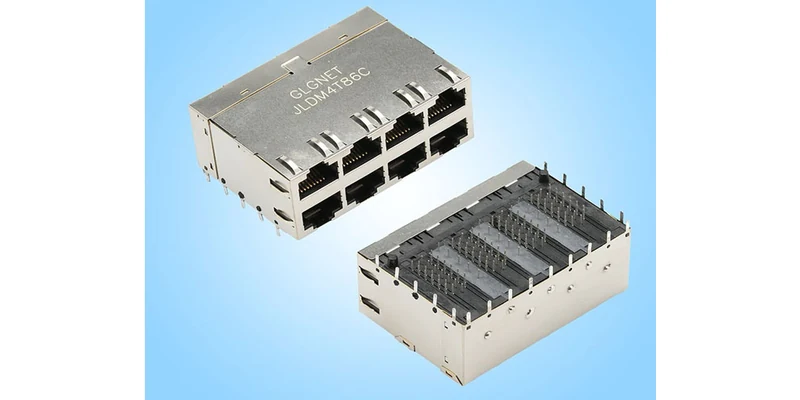
GLGNET's JGCA4T817-GY illustrates a 1×4 RJ45 MagJack with a latch-up, through-hole arrangement and green/yellow indicators. Its linked 130018-01311 drawing gives the mechanical views, recommended PCB layout and panel-cutout information needed for an engineering comparison.
The JDLM4T86C illustrates a 2×4 assembly with light pipes. Its 130062-01211 drawing shows a substantially different body and terminal field. The public mechanical views provide these nominal dimensions:
| Drawing field | JGCA4T817-GY | JDLM4T86C |
|---|---|---|
| Port arrangement | 1×4, four ports | 2×4, eight ports |
| Width across the port row | 58.24 mm | 59.18 mm |
| Body depth | 33.02 mm | 41.12 mm |
| Nominal body height shown | 13.60 mm | 25.88 mm |
| Listed Ethernet rate | 10/100/1000BASE-T | 5GBASE-T |
| Indicator arrangement | Green/yellow LEDs | Light pipes |
These are structural examples, not equivalent substitutes. They have different port counts and Ethernet specifications, and both product pages list no PoE support. They cannot establish a general relationship between port arrangement, data rate and power capability.
Read the dimension arrows rather than treating the table as a complete keep-out specification. The 1×4 drawing also shows features above the nominal body height. The 2×4 webpage lists a 25.85 mm height, while its linked mechanical view shows 25.88 mm. Resolve such differences on the current controlled drawing before freezing the PCB or panel.
For light-pipe arrangements, review the board LEDs and panel visibility alongside the connector. A light pipe guides light; the assembly information must identify the light source and its position. This check belongs in the mechanical shortlist even though the electrical LED configuration is reviewed separately.
Use the three drawing views together: the mechanical view locates the housing, the PCB view locates terminals and supports, and the panel view locates the mating opening. Overlaying only two of them can miss a board-to-panel offset even when the housing dimensions look acceptable.
Create a Layout Review for RJ45 With Integrated Magnetics
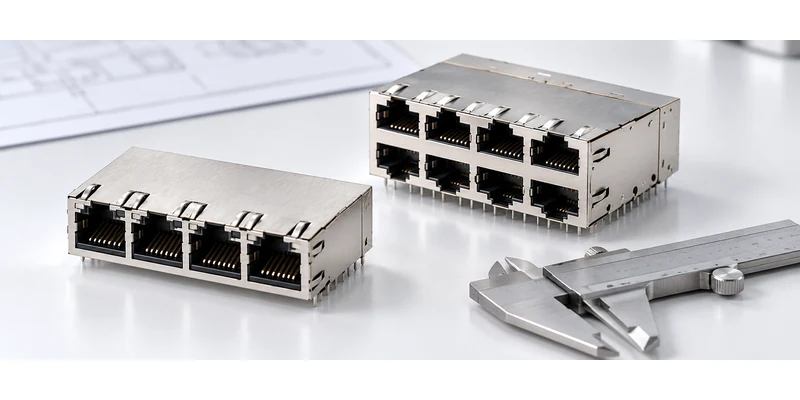
A layout review for RJ45 with integrated magnetics should make the remaining decision visible to engineering and purchasing. Identify the required port count, proposed row arrangement and exact candidate part number. Attach the connector drawing revision, PCB outline and panel section used for the comparison.
State the maximum permitted width, height and depth using defined datums. Record whether those limits include shield fingers, leads and cable access. Include the actual plug or boot family used in the service-access check, and note any panel feature that restricts latch release. This makes a sample assessment reproducible.
Keep electrical suitability in a separate field within the same review: PHY, Ethernet rate, PoE requirement, operating temperature and LED arrangement. An RJ45 connector supplier can then distinguish a fixed mechanical constraint from a preference that can change. If a candidate requires a different footprint or panel opening, capture that change explicitly before comparing unit prices.
Agree what the sample must demonstrate. For the layout decision, that includes assembly fit, adjacent-port cable insertion and removal, indicator visibility and acceptable operation under the proposed enclosure and loading conditions. Record unresolved items instead of treating a visual match as approval.
Explore GLGNET's magnetic RJ45 connector range, then send the port count, panel and PCB drawings, dimensional limits, PHY and power requirements for a layout and model review. That gives the team the information needed to shortlist a connector before committing the board and enclosure.
Ganged vs Stacked Magnetic RJ45 FAQs
When should a design use stacked rather than ganged RJ45 ports?
Consider stacked ports when the required connections exceed the available single-row panel width and the enclosure can accommodate the additional height, depth and cable access. Confirm the complete candidate drawing and electrical requirements before selecting that arrangement.
Do two connectors with the same port count share a PCB footprint?
No. Port count describes the interface arrangement. Signal pins, LEDs, shield terminals, locating features and dimensions can differ. Compare the exact recommended land patterns and magnetic circuits before accepting a replacement.
Can one port represent a fully loaded multiport PoE bank in testing?
One-port testing does not establish the bank's simultaneous-load behavior. Evaluate the intended port-loading pattern, enclosure, airflow and surrounding heat sources using a connector qualified for the required PoE conditions.
For related connector guidance, review the 2.5G vs 5G vs 10GBASE-T MagJack selection guide, the MagJack cross-reference guide, the RJ45 LED connector troubleshooting guide for OEM PCB designs, the custom connector design checklist, and the PoE magnetic RJ45 connector guide. Browse GLGNET’s magnetic RJ45 connector portfolio or explore networking connectivity solutions for more.