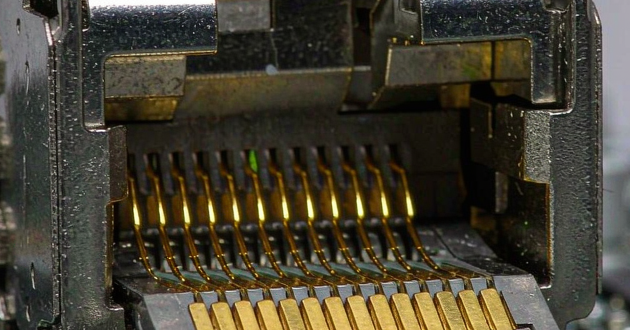
Whether you're upgrading your home network, setting up a new office connection, or simply tidying up messy cables, terminating an Ethernet cable into an RJ45 jack is a practical skill that can significantly improve your network’s reliability and performance. GLGNET is your go-to source for reliable RJ45 jacks—offering high-performance components that comply with CAT5e specifications and support over 750 insertion cycles. In this step-by-step guide, we'll walk you through RJ45 Jack the entire process—from gathering materials to testing the final connection—ensuring a clean, secure, and professional-grade result.
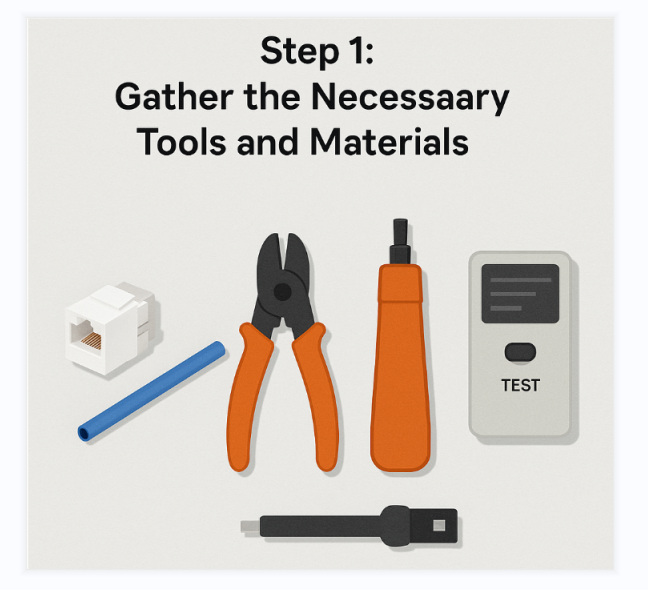
Step 1: Gather the Necessary Tools and Materials
Before diving into the installation process, it’s important to first gather all the tools and components you'll need. This not only ensures a smooth workflow but also minimizes the risk of errors caused by missing items. At a minimum, you’ll need an RJ45 keystone jack (or a wall jack if you're planning to mount it), an Ethernet cable—preferably Cat5e or Cat6 depending on the required data speed—along with a wire stripper or cable cutter to remove the outer sheath. A punch-down tool is essential to properly seat the wires into the jack, and while optional, a cable tester is highly recommended to confirm everything is connected as it should be. Having all of these ready ahead of time helps make the job quicker and more efficient.
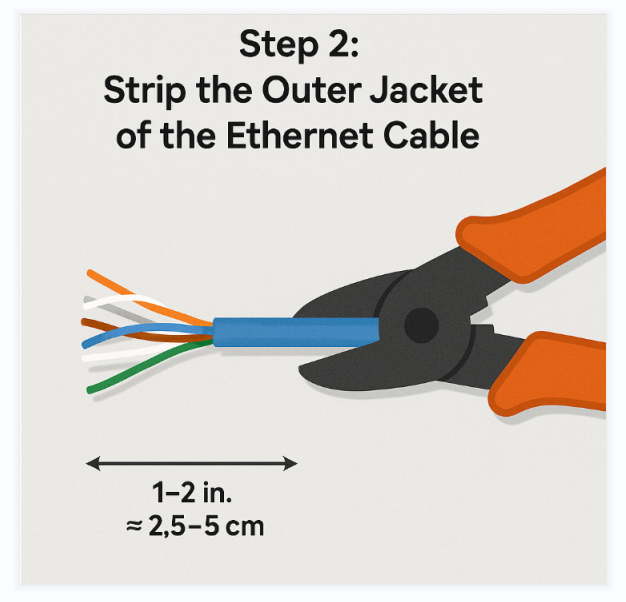
Step 2: Strip the Outer Jacket of the Ethernet Cable
With your tools in hand, begin by preparing the Ethernet cable. Carefully strip off about 1 to 2 inches (approximately 2.5 to 5 cm) of the outer jacket. To do this, hold the cable securely and use your wire stripper to score around the outer sheath without applying too much pressure. Once scored, bend the cable gently back and forth until the outer layer loosens and can be removed easily. Take extra care during this step—accidentally cutting or nicking the small colored wires inside can compromise the signal quality or cause the connection to fail entirely. Once stripped, you’ll expose four twisted pairs, totaling eight individual wires that you'll work with in the next step.
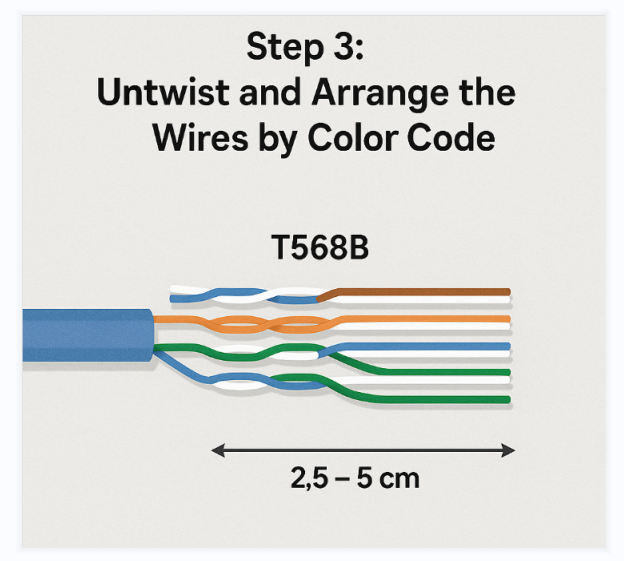
Step 3: Untwist and Arrange the Wires by Color Code
After exposing the inner wires, untwist each of the four pairs and straighten them out as much as possible. At this point, you need to choose a wiring scheme: T568A or T568B. Both are industry standards and perform similarly, but it’s crucial to use the same standard at both ends of the cable to ensure proper communication. For example, if you're using the T568B scheme (commonly used in the US), the correct wire sequence from left to right—facing the jack with the clip side down—should be: White-Orange, Orange, White-Green, Blue, White-Blue, Green, White-Brown, and Brown. Once arranged, trim the wires evenly to get them ready for punching into the rj45 coupler jack. This step is all about precision; misaligned wires can cause network problems later.
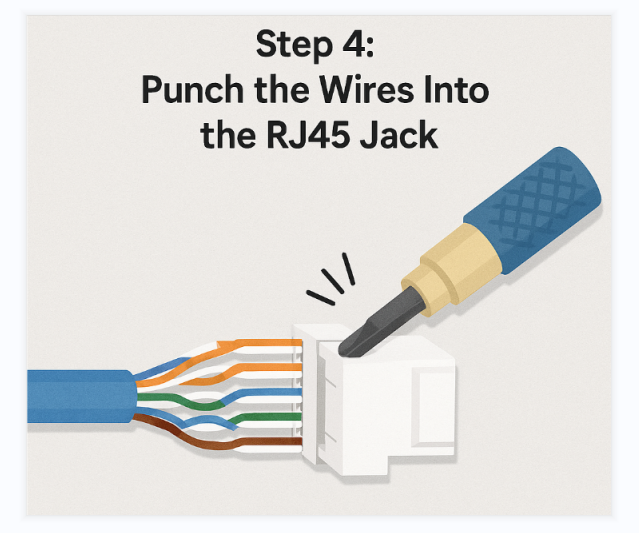
Step 4: Punch the Wires Into the RJ45 Jack
Now that the wires are neatly arranged and trimmed, it’s time to connect them to the jack. Look at your RJ45 jack and find the small color-coded slots, which indicate where each wire should be placed. Match each wire to its designated slot according to the color code you've chosen. Carefully press the wires into the slots one by one. Once they’re in position, use your punch-down tool to firmly push each wire down into the slot. This tool ensures the metal contacts inside the jack pierce through the wire insulation, creating a secure and reliable connection. Most punch-down tools will also trim off any excess wire during this process. If not, simply cut off the extra ends with a pair of scissors. Take your time here—a good connection starts with proper wire seating.
Step 5: Assemble the Jack Housing
With the wiring securely punched down, the next step is to finish assembling the rj45 coupler jack. Depending on your specific setup, this might involve snapping a protective cap over the wired section, or mounting the jack into a faceplate, surface box, or wall plate. Make sure everything clicks into place or is screwed in firmly. A loose jack or misaligned housing can not only look untidy but also lead to unreliable connectivity down the line. At this stage, double-check that everything is flush and stable—it’s always easier to fix alignment issues now than after the cable is in use.
Step 6: Test the Connection
The final and crucial step is to test your connection to ensure the RJ45 connector is correctly terminated. Plug an Ethernet cable into the RJ45 jack you’ve just installed, then connect the other end to a network device or a cable tester. Running a full test will help identify common issues such as open wires, miswiring, shorts, or reversed pairs that could affect network performance.
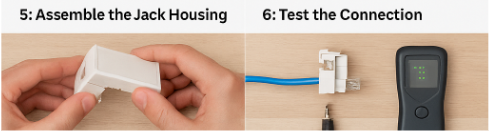
This verification ensures your wiring is accurate and the RJ45 modular jack connector is securely connected. If everything passes the test, your installation is complete. If problems arise, double-check the wire arrangement and make sure each conductor is firmly seated in its slot. Re-punch any loose wires as needed. Spending a bit more time on this step can prevent frustrating connection issues later on.
Conclusion
By following these six steps, you’ll have successfully installed an RJ45 jack that not only looks tidy but also delivers stable and high-speed network performance. Taking the time to properly strip, arrange, and punch down each wire ensures signal integrity and minimizes future troubleshooting.
FAQs:
1.How do I install an Ethernet jack?
Installing an Ethernet jack involves running a Cat5e or Cat6 cable through the wall, mounting a low-voltage bracket, and terminating the wires into a keystone jack using the T568B standard.
Basic Steps:
1)Cut the wall opening using a stud finder and drywall saw
2)Run the cable from your router/switch to the outlet location
3)Strip the cable jacket (about 1–2 inches)
4)Punch down the wires into the keystone jack following T568B
5)Mount the faceplate and secure it
6)Test the connection with a cable tester
Tips:
1)Keep wire pairs twisted for better signal quality
2)Use the same wiring standard on both ends
3)Avoid running near electrical wiring
2.How to connect RJ45 jack?
Connecting an RJ45 jack (plug) to an Ethernet cable involves arranging the wires in the correct order (usually T568B) and securing them using a crimping or punch-down tool.
Basic Steps:
1)Strip the cable jacket (about 1 inch / 2.5 cm)
2)Untwist and straighten wires
3)Arrange wires in T568B color order
4)Trim wires evenly
5)Insert into RJ45 connector (ensure wires reach the end)
6)Crimp the connector using a crimping tool
7)Test the cable with a cable tester
For Wall Jacks (Keystone):
1)Follow the color-coded labels (T568A or T568B)
2)Use a punch-down tool to secure wires
3)Or use toolless jacks to snap wires into place
Tips:
1)Keep wire pairs twisted as much as possible
2)Ensure the cable jacket is secured inside the connector
3)Use the same wiring standard on both ends
3.What are the step by step procedures in Ethernet cabling?
The Ethernet cabling process focuses on preparing the cable, organizing the internal wire pairs correctly, securing them into connectors, and confirming that the final connection works as expected.
How the process works:
Start by cutting the cable to the desired length and removing a short section of the outer jacket to expose the internal wires. Carefully separate the twisted pairs and line them up in the correct sequence,
typically following the T568B wiring standard.Once aligned, trim the wires to an even length and slide them into the RJ45 connector, making sure each conductor reaches the end of the plug while the cable jacket is held firmly inside.
Then use a crimping tool to lock the connector in place, allowing the metal contacts to pierce the wires.
After both ends are completed, use a cable tester to verify that all eight connections are properly aligned and functioning.
4.How to crimp RJ45 easy way?
The easiest way to crimp an RJ45 connector is to use pass-through plugs, which let the wires go completely through the connector so you can clearly check the order before crimping.
A pass-through crimping tool then secures the pins and trims excess wires in one step, reducing mistakes.
Simple Method:
Start by stripping about 1 inch of the cable jacket and separating the wire pairs. Arrange the wires in the correct order (typically T568B),
then straighten them and guide them through the pass-through connector until they extend out the front.
Once everything is aligned and visible, insert the connector into a pass-through crimp tool and squeeze firmly. The tool will press the pins into the wires while cutting off the extra length at the same time.
Quick tips:
1)Use pass-through connectors to easily verify wire order
2)Keep wires straight and evenly aligned before inserting
3)Ensure the cable jacket sits inside the connector for strength
4)Test the cable after crimping to confirm all pins are working
5.How to make RJ45 cable step by step?
Making an RJ45 Ethernet cable requires a network cable (Cat5e/Cat6), RJ45 connectors, and basic tools. The process includes stripping the cable,
arranging the wires in the correct order (usually T568B), inserting them into the connector, and crimping to secure the connection.
Tools and Materials:
1)Ethernet cable (Cat5e, Cat6, or Cat6a)
2)RJ45 connectors (standard or pass-through)
3)Crimping tool
4)Wire stripper/cutter
5)Cable tester (recommended)
6)Strain relief boots (optional)
Step-by-Step Instructions (T568B):
1)Cut and prepare the cable
Cut to the required length. If using boots, slide them on first.
2)Strip the outer jacket
Remove about 1 inch (2.5 cm) of the cable jacket without damaging inner wires.
3)Untwist and arrange wires
Straighten the wires and arrange them in T568B order:
White/Orange, Orange, White/Green, Blue, White/Blue, Green, White/Brown, Brown
4)Trim the wires evenly
Cut the wires straight, leaving about 1/2 inch (12–13 mm) exposed.
5)Insert into the RJ45 connector
With the clip facing down, push the wires fully into the connector until they reach the front. Ensure the cable jacket sits inside for strain relief.
6)Crimp the connector
Use a crimping tool to press the pins into the wires and secure the connector.
7)Repeat and test
Terminate the other end and use a cable tester to confirm all 8 pins are correctly connected.
Tips for Best Results:
Use the T568B standard for most applications
Keep wire pairs twisted as close as possible to reduce interference
Pass-through connectors make it easier to verify wire order
If the test fails, cut off the connector and redo the termination