Custom SFP cage design usually comes down to two practical questions: how much heat the module adds, and how easily people can service the port from the front panel. Get either one wrong, and you’ll feel it later—through unstable temperatures, reduced reliability, or slower troubleshooting in the field.
This post offers a straightforward way to decide when an SFP cage should include a heatsink, when a light pipe is worth adding, and how factors like module type (fiber vs. copper), airflow, and port density change the answer.
Two Quick Checks for an SFP Cage: Power and Front-Panel Usability
Begin with the module’s power dissipation, which is typically listed in the datasheet as Max Power or Power Consumption. As a practical rule of thumb, modules below 1 W are usually straightforward, 1–1.5 W is a “keep an eye on it” range, above 1.5 W often benefits from a heatsink on the SFP cage, and 2 W or more generally calls for a dedicated thermal approach.
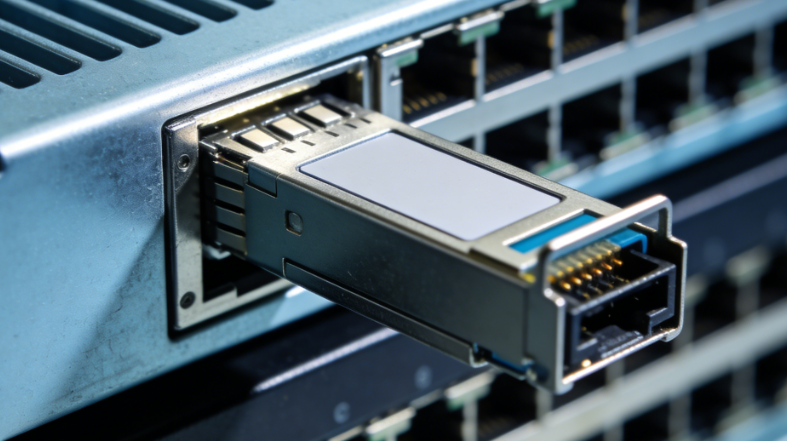
In parallel, consider front-panel serviceability. If ports are tightly packed (ganged/stacked), PCB LEDs are hard to see, or the board sits deeper behind the faceplate, adding a light pipe to the SFP cage brings link/activity/fault indicators to the front—making routine checks and troubleshooting quicker and more dependable.
Heatsink Trigger: When the SFP Module Needs Thermal Help
1) Power thresholds
A simple starting point is the module’s power dissipation. In most designs, <1 W is easy to live with, 1–1.5 W is the “watch this” range, >1.5 W is where adding a heatsink on the SFP cage often becomes the safer choice, and ≥2 W usually warrants a clearly defined heatsink solution. For custom builds, GLGNET can combine the cage with heatsink options and mechanical refinements, so the thermal design matches your module selection and enclosure constraints—rather than forcing a generic cage into a tight system.
2) Fiber vs. copper
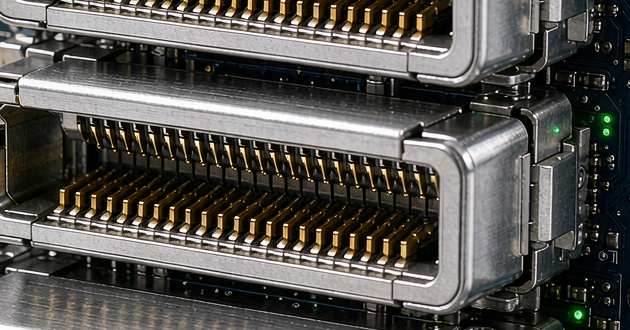
The same wattage number can behave very differently depending on the module type. Fiber SFP/SFP+ (SR/LR) module commonly falls around <1–1.5 W and may run without an external cage heatsink when airflow is strong. Copper 10GBASE-T modules, however, are typically much higher power (often ~1.5–3.5 W+) and are frequent candidates for cage-level cooling. And if you’re building dense front panels with stacked cages, GLGNET offers stacked variants with an integrated high-speed connector—useful for compact layouts while you manage heat across the whole port bank.

3) System reality
Once you zoom out to the chassis, the “threshold” can move. Limited or poorly directed airflow, higher ambient targets, packed port banks that retain heat, and worst-case operation (all ports active at peak traffic) can push even mid-power modules into heatsink territory. That’s why thermal decisions often come down to integration details: mounting style, port spacing, and what you need on the faceplate. GLGNET’s SFP module lineup supports single and multiport formats, press-fit mounting, and options such as heatsinks and light pipes—so you can balance cooling and serviceability without reworking the entire interface.
Light Pipes for Clear SFP Cage Visibility
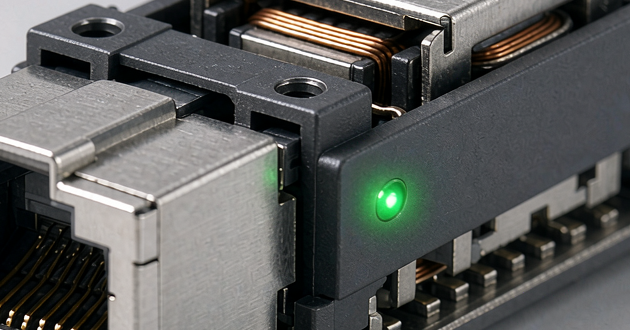
A light pipe carries light from a PCB LED to the faceplate, so link/activity/fault status is easy to read at the front of an SFP cage. It becomes most valuable when visibility is critical in day-to-day operations—for example, in high-density 1×N/2×N (ganged/stacked) port banks where LEDs are crowded or partially blocked, when the PCB sits deeper in the chassis and the LED can’t be seen directly, or when technicians need quick, at-a-glance status during troubleshooting and hot swaps. In data-center equipment, it also matches the common front-panel expectation: clear per-port indicators that can be checked immediately, without opening the system or relying solely on software.
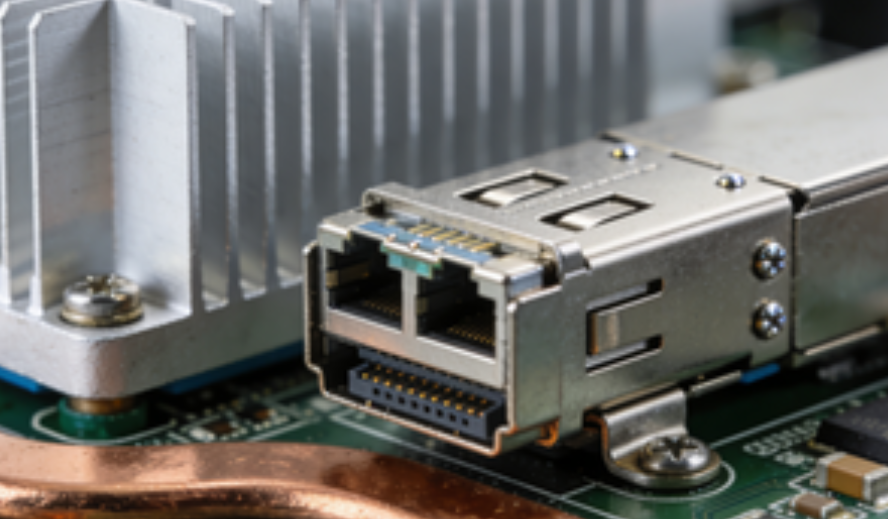
From a design standpoint, light pipes work best when planned together with the SFP module and the faceplate geometry. Details like alignment, clearance, and tolerance stack-up influence brightness, viewing angle, and how clearly each port can be distinguished. GLGNET provides light pipe options within its SFP cage and connector solutions, helping teams add clean front-panel indicators without reworking the entire port area. With support for single-port and multiport formats—plus customization—those indicators can stay tidy and service-friendly even on dense, high-speed front panels, so port status remains easy to spot and interpret in real deployments.
Picking the Right SFP Ports for Light Pipes
Light pipes don’t have to be installed on every port. It’s usually more practical to treat them as a serviceability feature—use them where front-panel visibility genuinely speeds up tasks like finding the correct port, confirming link state, or completing a swap. This becomes especially important in dense SFP cage banks, where many ports look the same from the outside and mistakes are easy when teams are working quickly.
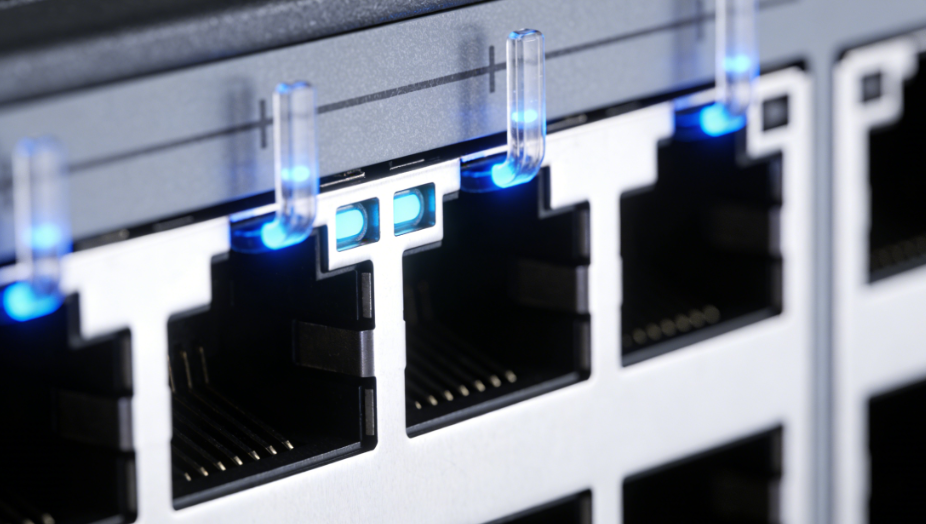
In most systems, the best candidates are ports that are handled often or costly when they go down. That typically includes tightly packed uplinks (where it’s easy to pull or plug the wrong cable), customer-facing or production-critical links, and redundancy/HA paths where fast visual confirmation helps during failover and recovery. On the other hand, ports that are rarely touched, used mainly during commissioning, or located in low-density areas with clear LED visibility can often skip light pipes without hurting usability—because status can still be checked easily via the faceplate LEDs or standard monitoring tools.
Custom SFP Connectors and Cages Quick Decision Matrix: Heatsink vs. Light Pipe
|
Decision Factor |
Recommendation |
|
Module power > 1.5 W |
Plan for cage-level thermal support |
|
Module power ≥ 2 W |
Treat a heatsink as part of the design (not optional) |
|
Dense ports / poor LED sightlines / deep PCB |
Add a light pipe for clear per-port status |
|
Dense ports + warm chassis |
Use both: heatsink (thermal margin) + light pipe (serviceability) |
Read more:
https://www.glgnet.biz/articledetail/emi-springs-on-sfp-cages-shielding-grounding-or-heat-path.html
https://www.glgnet.biz/articledetail/what-are-the-different-types-of-qsfp-connectors.html
Conclusion
If you’re planning a custom build, GLGNET can support SFP cage configurations with heatsink and light-pipe options, helping align the mechanical design with your module choice, port layout, and system constraints.