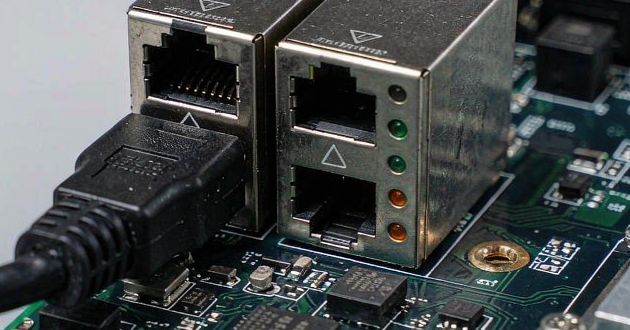
This guide explains the most common RJ45 cable connection issues, how to test an Ethernet connection step by step, and how to prevent future failures with proper cable and connector selection.
Why Is My RJ45 Cable Not Working?
When an RJ45 cable fails to connect, the problem usually comes from three areas: physical connection issues, cable or connector problems, or network device failures.
Common causes include loose connections, incorrect wiring, damaged RJ45 connectors, cable damage, or faulty Ethernet ports. Before replacing the entire network system, it is important to identify the actual source of the failure.
Typical symptoms include:
No Ethernet link light
Intermittent network disconnections
Slow transmission speed
PoE device power failure
Cable detected but no network access
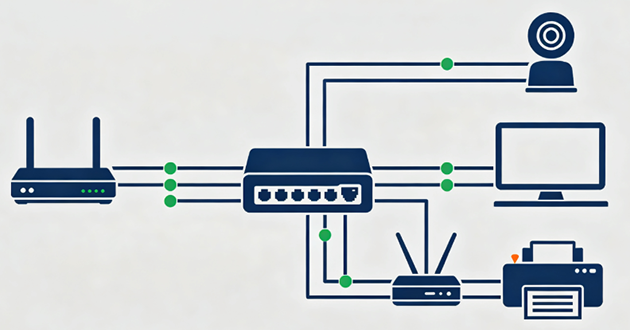
Common RJ45 Cable Connection Problems and Solutions
Problem | Possible Causes | Recommended Solutions |
RJ45 cable has no connection | Incorrect wiring, damaged connector, faulty port | Check wiring order, inspect connector, test the port |
Ethernet connection keeps dropping | Loose connection, damaged cable, poor contact | Replace connector, secure connection, test cable quality |
RJ45 cable works but speed is slow | Cable category mismatch, poor termination, signal loss | Use compatible Cat5e/Cat6/Cat6A components and improve termination |
RJ45 connector has no signal | Bent pins, broken contacts, incorrect crimping | Replace connector and re-terminate the cable |
PoE device cannot receive power | Poor RJ45 contact, wiring error, unsuitable cable | Check pin connection and use PoE-compatible components |
Cable tester shows wrong wiring | T568A/T568B mismatch, incorrect pin order | Rewire according to the correct standard |
Network works intermittently | Internal cable damage, loose RJ45 jack, EMI interference | Replace damaged parts and improve shielding |
RJ45 connection fails after installation | Poor termination, incompatible connector and cable | Select the correct connector and use proper tools |
1. RJ45 Cable Has No Connection
Problem
An RJ45 cable may be physically connected but still fail to establish communication between devices. This is usually caused by incorrect wiring, damaged connectors, or faulty Ethernet ports.
Common symptoms include no link light, "network cable unplugged" messages, or a switch port failing to detect the connected device.
Solution
First, check the RJ45 wiring and make sure both ends follow the same standard, such as T568B. Inspect the connector for damaged pins or poor contact, and test the cable on another Ethernet port to identify whether the issue comes from the cable or the network device.
If the connector is damaged, replace or re-terminate the RJ45 plug and test the connection again.
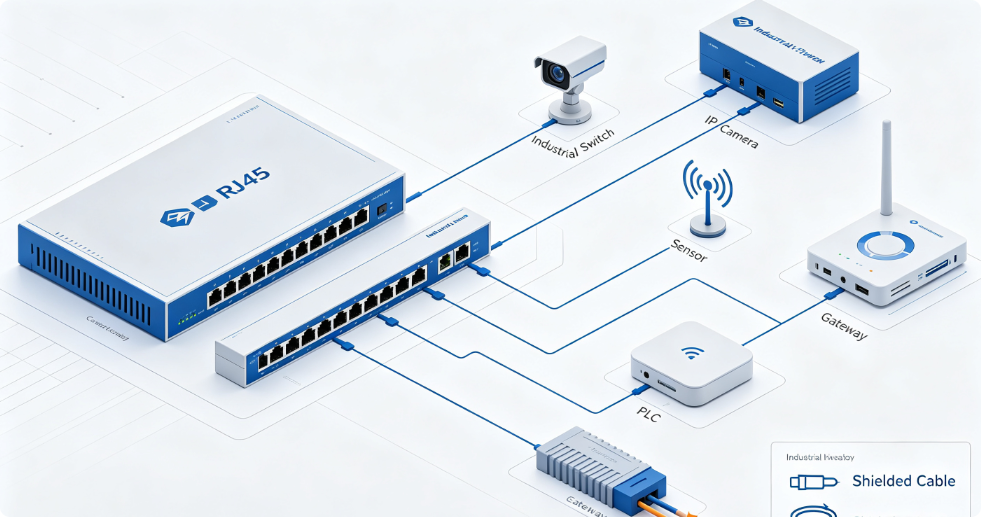
2. Ethernet Connection Keeps Dropping
Problem
An RJ45 connection may work normally at first but suddenly disconnect during use. This is often caused by loose connections, damaged cables, or unstable contact between the RJ45 plug and jack.
Common symptoms include frequent network interruptions, connection loss when moving the cable, or unstable link lights.
Solution
Check whether the RJ45 connector is securely inserted and inspect the cable for bending, damage, or internal breaks. If the problem continues, replace the damaged connector or cable and test the connection again.
3. RJ45 Cable Works but Network Speed Is Slow
Problem
An RJ45 cable may establish a connection but fail to achieve the expected transmission speed. This is usually caused by cable category mismatch, poor termination, or low-quality connectors.
Solution
Make sure the cable, RJ45 connector, and network equipment support the same Ethernet standard, such as Cat5e, Cat6, or Cat6A. Check the termination quality and replace unsuitable connectors if signal performance is affected.
4. RJ45 Connector Has No Signal
Problem
A damaged RJ45 connector can prevent proper signal transmission even when the cable appears connected. Common causes include bent contact pins, worn contacts, or incorrect crimping.
Solution
Inspect the RJ45 plug and jack for visible damage or poor contact. If the connector is damaged, replace the plug or re-terminate the cable using the correct wiring standard.
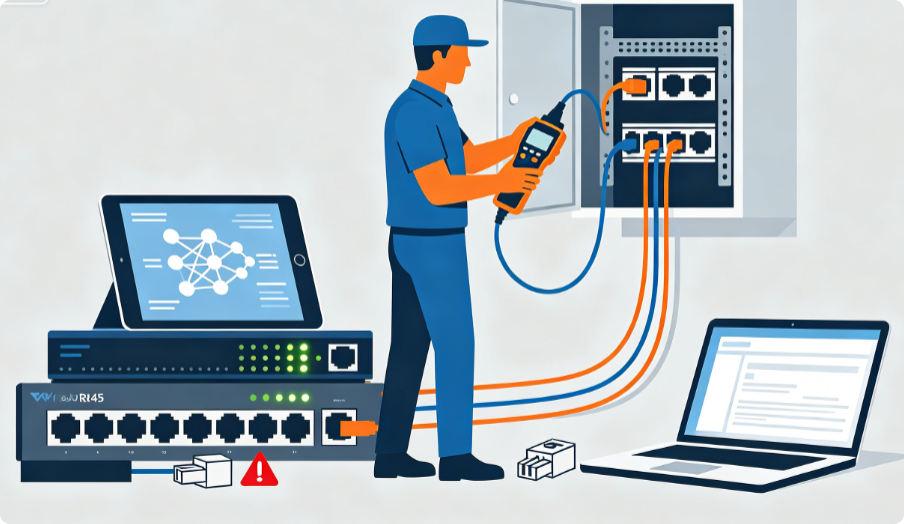
5. RJ45 Cable Tester Shows Wrong Wiring
Problem
If an RJ45 cable tester shows incorrect wiring results, the cable may have been terminated incorrectly. Common causes include incorrect pin order, mixed T568A and T568B wiring standards, reversed pairs, or damaged conductors during installation.
Wrong wiring can prevent Ethernet communication, reduce network speed, or cause unstable connections.
Solution
Check the wiring sequence at both ends of the cable and make sure they follow the same standard. Inspect the wire pairs for damage and re-terminate the RJ45 connector if the pin arrangement is incorrect. After termination, test the cable again to confirm all pins are properly connected.
6. PoE Device Cannot Receive Power
Problem
PoE devices such as IP cameras, wireless access points, VoIP phones, and industrial equipment may fail to receive power when the RJ45 connection is unstable.
Common causes include poor contact between pins, incorrect wiring, damaged connectors, or cables that do not meet PoE requirements. These issues may cause devices to restart frequently or lose both power and network communication.
Solution
Check the RJ45 pin connection and ensure the cable and connector support the required PoE standard. Use reliable RJ45 connectors with good contact performance and ensure proper termination to maintain stable power delivery and data transmission.
7. RJ45 Connection Is Unstable in Industrial Environments
Problem
RJ45 connections used in industrial environments may experience instability due to electromagnetic interference (EMI), vibration, dust, temperature changes, or continuous operation conditions.
These factors can affect signal quality, damage connectors, or cause intermittent communication failures in industrial Ethernet systems.
Solution
Select RJ45 connectors designed for industrial applications, such as shielded RJ45 connectors with improved EMI protection and mechanical strength. Proper cable routing, connector protection, and suitable installation methods can also help improve connection reliability in harsh environments.
8. How to Prevent RJ45 Connection Problems
Problem
Many RJ45 connection failures are caused by incorrect installation, unsuitable components, or low-quality connectors. These problems may result in repeated troubleshooting, network downtime, and additional maintenance costs.
Solution
Choose the right RJ45 connector based on cable category, shielding requirements, transmission speed, and application environment. Follow proper wiring standards, avoid excessive cable bending, and use reliable termination methods to improve connection stability and reduce future failures.
How to Test an RJ45 Cable Connection
When an Ethernet connection fails, testing the RJ45 cable step by step can help identify whether the problem comes from the cable, connector, or network equipment. Different tests can reveal issues that are not visible from the outside, especially in newly installed or terminated cables.
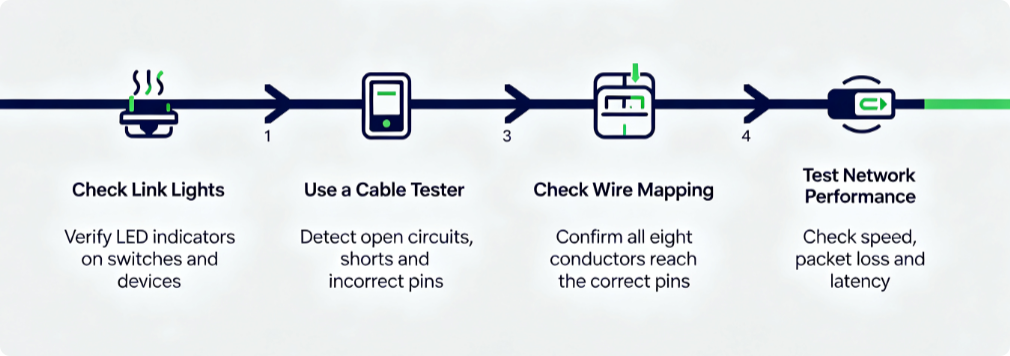
1. Check Ethernet Link Lights
Start by checking the LED indicators on switches, routers, or network devices. A normal Ethernet connection usually shows a steady or blinking link light when data is being transmitted.
If the light is off or behaves abnormally, check the cable connection, RJ45 port condition, and connector contact to determine whether the issue is related to the physical connection.
2. Use an RJ45 Cable Tester
An RJ45 cable tester can quickly verify whether the cable has been terminated correctly. It helps identify common wiring problems, including open circuits, short circuits, incorrect pin order, and missing connections.
For field installations or self-made Ethernet cables, testing before deployment can prevent connection failures caused by incorrect crimping or poor termination.
3. Check Wire Mapping
Wire mapping confirms that each conductor inside the cable reaches the correct pin on both RJ45 connectors.
A correct result means all eight wires are properly connected and arranged according to the selected wiring standard. This test is especially useful when troubleshooting newly crimped cables or cables that experience unstable connections.
4. Test Network Performance
After confirming that the cable is physically connected, check whether it can deliver the expected network performance.
Evaluate factors such as connection speed, packet loss, latency, and transmission stability. A cable may pass a basic continuity test but still fail in high-speed applications because of signal interference, poor components, or installation quality issues.
How to Prevent RJ45 Cable Connection Problems
Choosing suitable components and following correct installation methods can reduce most RJ45 connection failures.
Key Factor | Recommendation |
RJ45 Connector Selection | Match the connector with the cable category, conductor size, and shielding requirements. |
Installation | Follow T568A/T568B wiring standards, avoid excessive bending, and use proper termination tools. |
Application Environment | Select suitable RJ45 solutions for different conditions, such as shielded connectors for industrial use and reliable contacts for PoE applications. |
Conclusion
RJ45 connection issues can come from different sources, including wiring mistakes, connector damage, cable problems, and unsuitable installation conditions. By identifying the cause, testing the cable properly, and choosing reliable RJ45 components, you can improve Ethernet stability and reduce network downtime.
Contact GLGNET today to find the right RJ45 solution for your project.