


RJ45 jacks, particularly the RJ45 modular jack connectors, play a crucial role in networking, serving as the essential link between devices. However, users often run into issues with these connectors. This article explores common problems related to female RJ45 jacks, identifies their causes, and offers practical solutions to help you maintain reliable connectivity.
Here’s a detailed look at some frequent problems faced with RJ45 jack connectors along with potential solutions.
|
Problem |
Symptoms |
Causes |
Solutions |
|
Poor Connections |
Slow internet speeds, intermittent connectivity |
Dust buildup, improper cable insertion |
Clean the RJ45 jack, ensure secure cable insertion |
|
Bent Pins |
Irregular connection, visual misalignment |
Forceful insertion, wear and tear |
Straighten pins carefully, replace damaged jacks |
|
Compatibility Issues |
Inability to connect devices |
Mismatched cable categories |
Check specifications, use adapters if needed |
|
Cable Damage |
Fraying or cuts visible on cables |
Physical stress, bending |
Replace damaged cables, implement cable management |
|
Environmental Factors |
Performance degradation |
Humidity, extreme temperatures |
Use protective covers, choose appropriate installation locations |
When an RJ45 jack starts to develop issues, it rarely stops working all at once. More often, the Ethernet connection becomes unreliable in subtle ways that are easy to overlook at first. You might notice the network slowing down without an obvious reason, brief dropouts that seem to fix themselves, or a connection that works normally until the cable is moved even slightly.
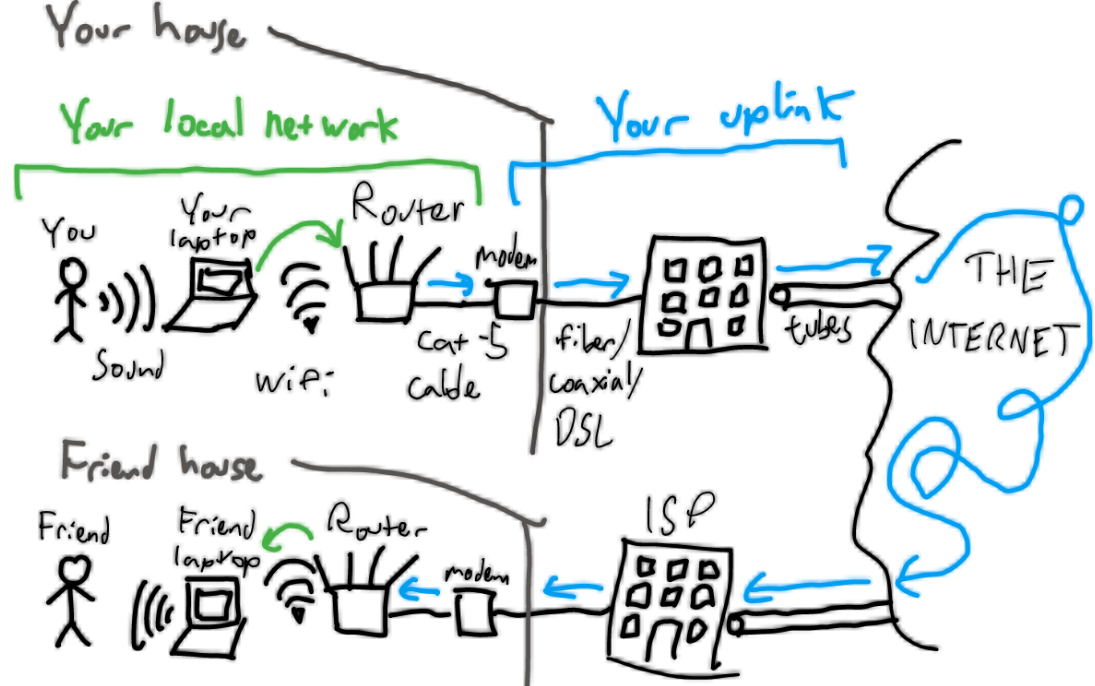
In everyday use, this can look like a desktop losing network access at random, video calls freezing for a moment before resuming, or file transfers that start off fast and then unexpectedly slow down. One particularly misleading sign is when the Ethernet link light remains on, yet the connection still feels unstable. In most cases, this means the RJ45 plug is making partial contact inside the jack—enough to establish a link, but not enough to maintain a consistently reliable connection.
From experience, poor contact in an RJ45 female jack is usually caused by simple, everyday issues rather than anything exotic:
· Dust inside the port: Wall outlets near floors, desks, or equipment racks collect dust faster than people expect. Even a small amount can prevent the pins from making consistent contact.
· The plug isn’t quite fully in: Sometimes the connector looks seated, but it never clicked all the way. Thick boots, tight wall plates, or slightly worn plugs often cause this.
· Wear from frequent use: Ports that see a lot of plugging and unplugging—like front-panel switch ports or shared workstations—do loosen over time. The connection may work, but only as long as nothing moves.
· Broken or weak latch clips: This is very common with older patch cables. The cable stays in place at first, then slowly works its way out just enough to cause dropouts.
· Termination issues behind the wall plate: With keystone jacks and patch panels, the problem is often out of sight. A wire that wasn’t fully punched down or a cable under tension can behave exactly like a bad cable.
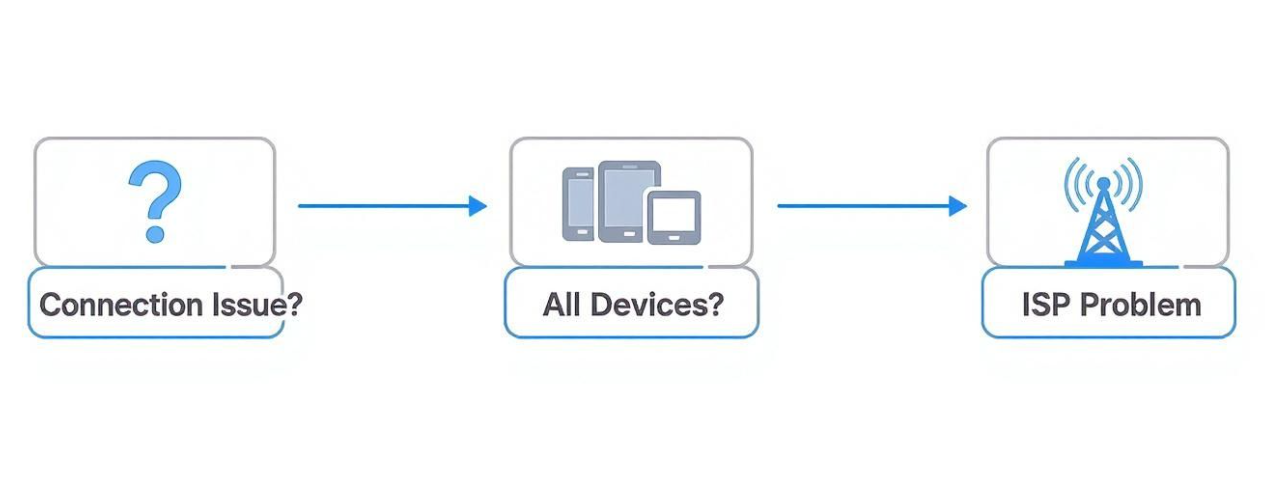
To get a stable connection back, it’s best to start with the quick checks people usually skip:
· Clean the RJ45 Jack: Blow out the port with compressed air and take a quick look with a flashlight. You’d be surprised how often this alone fixes the issue. Don’t use metal tools—bent pins cause more trouble than dirt ever will.
· Check Cable Insertion: Always verify that the RJ45 connector is fully and securely plugged in. A proper fit can significantly enhance connection stability.This is the fastest way to tell whether the issue is the cable or the jack.
· Use a cable tester when guessing isn’t enough: If the cable fails, fix or replace it first. If it passes but the connection still drops, the RJ45 jack itself is usually worn or poorly terminated.
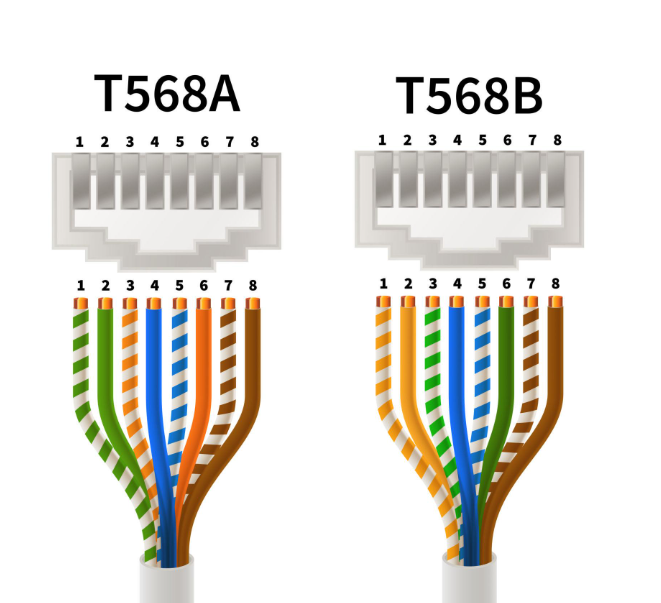
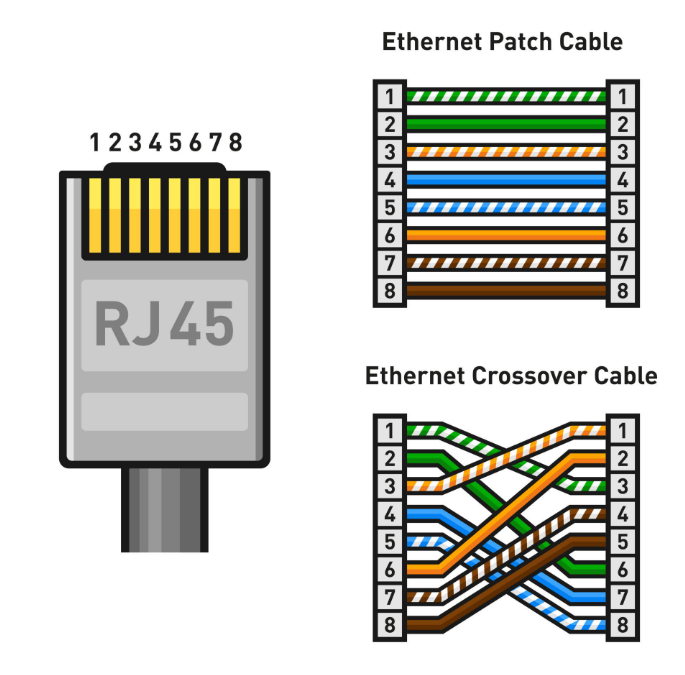
· For keystone jacks, re-terminate and relieve strain: Remove the wall plate or patch panel module and check the punch-down. Make sure every conductor is fully seated and the jacket is secured so the wires aren’t under tension. Stick to one wiring standard (T568A or T568B) end to end.
Bent pins inside an RJ45 modular jack are often easy to catch if you take a quick look with a flashlight. A healthy jack usually shows a neat, evenly spaced row of contacts. If one contact looks lower than the others, tilted, or pushed back, it can cause intermittent link issues—especially when the cable is moved.
In real use, bent pins often show up as a connection that“works sometimes,”sudden speed drops, or a link light that turns on but doesn’t stay stable. If a port has been reliable for a long time and then suddenly becomes sensitive to cable movement, a bent pin is one of the first things worth checking.
In most cases, bent pins happen for practical reasons, such as:
· Forcing the plug into the Ethernet jack: If the connector is misaligned or the latch area catches, pushing harder can bend the internal contacts. This is common in tight spaces (behind desks, wall plates, crowded patch panels).
· Worn jacks from frequent plugging/unplugging: Ports used daily—shared workstations, lab setups, test benches—can gradually lose alignment, and the contacts become easier to deform.
· Wrong connector type or damaged plug: A cracked RJ45 plug, a deformed boot, or debris on the plug can push against the pins in the wrong way and bend them.
Before trying to fix anything, it helps to decide whether the jack is still “recoverable” or already too risky to keep using.
· If the bend is minor, realign carefully: With the power disconnected (when possible), you can try to gently nudge a slightly misaligned pin back into place using a non-conductive tool. Go slowly—RJ45 contacts are thin, and once a pin snaps, the jack is done.
· If the pins are severely bent or pushed back, replace the jack: When multiple pins are out of line, or a pin is flattened into the housing, repairs rarely hold up. Replacing the RJ45 female jack is usually faster and more reliable than trying to “save” a damaged port.
· Test after repair: Even if the link light comes on, run a quick cable test or try a known-good cable and check stability. A partially corrected pin can still cause slow speeds, packet loss, or frequent renegotiation.
Compatibility problems usually don’t look like a total failure. The cable clicks into the RJ45 jack, the link light may even come on, but something still feels “off”—speed is lower than expected, PoE behaves inconsistently, or the connection drops under load. If swapping to a known-good cable or moving to another port fixes the problem instantly, a compatibility mismatch is a likely cause.
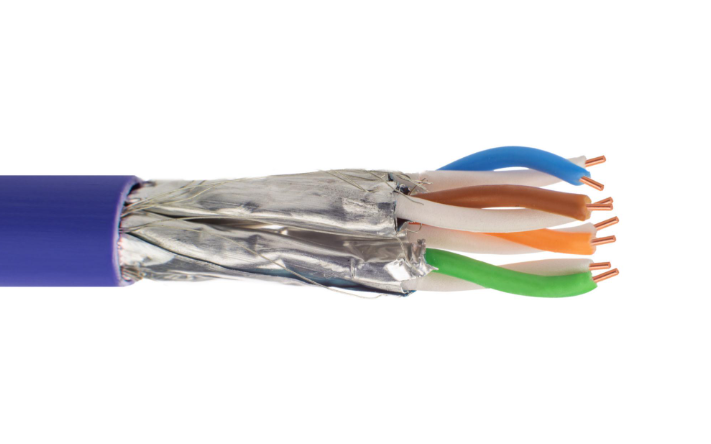
Instead of “a device requires Cat6,” what’s more common in real networks is one of these mismatches:
· Cable category vs. speed/distance expectations: An older or lower-grade cable may link up but struggle to hold higher speeds over longer runs.
· Solid vs. stranded conductor termination: Patch cables are often stranded, while in-wall cables are usually solid. Using the wrong RJ45 plug or jack type can lead to unstable contact over time.
· Shielded vs. unshielded components: Mixing shielded cable with unshielded RJ45 jacks (or the reverse) can increase noise issues in electrically “busy” environments.
· PoE requirements: Some PoE instability comes down to cable quality, wire gauge, and heat—especially when cables are bundled tightly.
To avoid compatibility problems:
· Ensuring Proper Cable Specifications: Always check that your cables, such as Cat5 or Cat6, are appropriate for your devices.
· Using Adapters if Necessary: If you have different types of RJ45 jacks, consider using adapters to bridge the compatibility gap.
· Keep components consistent end-to-end: If the run is shielded, keep the shield path consistent and ground it properly when required.
· Avoid unnecessary adapters and couplers: They can work, but they add another failure point. If you must use one, pick a coupler rated for your cable category.
Cable damage is often visible, but not always obvious. Cuts, fraying, or flattened sections are clear warning signs. More subtle damage shows up as a cable that works until it’s bent a certain way, or a connection that becomes unstable after the cable is moved, re-routed, or pulled.
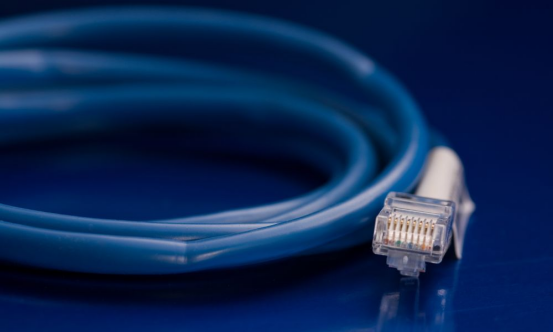
In everyday environments, cable damage usually comes from:
· Physical Stress and Bending: Regularly bending cables can lead to weakened internal wires and eventual failure.
· Crushing or pinching: Cables trapped under furniture or doors, or squeezed by overly tight ties.
· Strain at the RJ45 plug: Frequent pulling on the cable can weaken the connector area first and lead to intermittent contact.
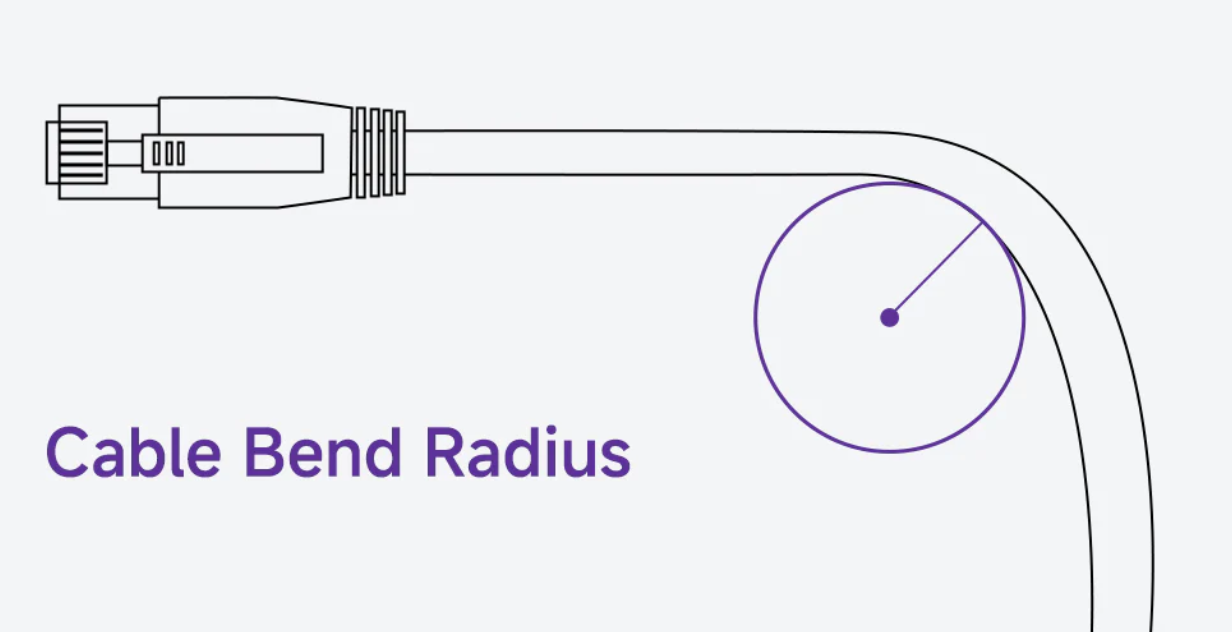
· Replacing Damaged Cables: Always replace any cables showing signs of damage. This is crucial for maintaining optimal connectivity.
· Using Cable Management Tools: Properly securing cables with management tools can help prevent physical stress and prolong the lifespan of your cables.
· Reduce strain at both ends: Leave a little slack near devices and patch panels so the RJ45 connector isn’t taking tension.
RJ45 jack connectors can become unreliable in harsh environments—warehouses, basements, outdoor cabinets, or areas near machinery. Humidity can speed up oxidation on contacts, temperature swings can loosen tolerances over time, and dust buildup inside the RJ45 port can interfere with contact..
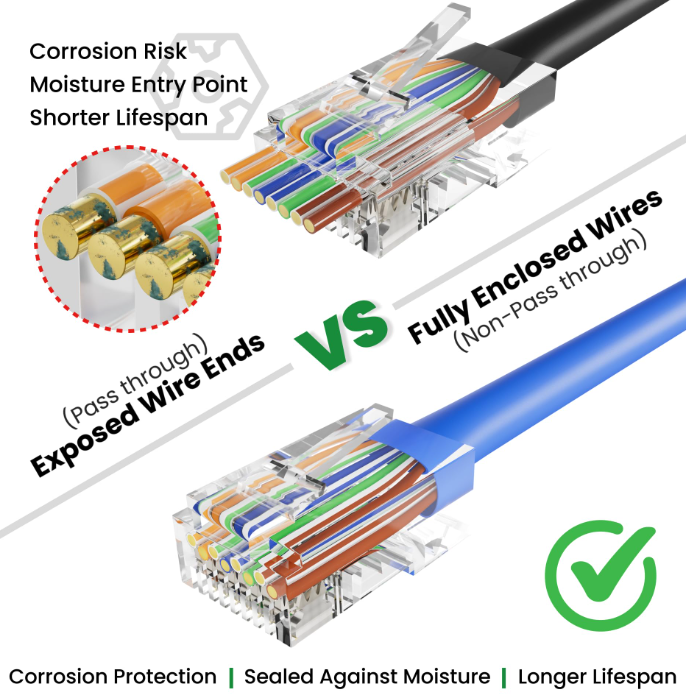
To mitigate environmental impacts:
· Using Protective Covers: Consider investing in covers for RJ45 jacks to shield them from dust and moisture.
· Choosing Appropriate Installation Locations: Avoid placing jacks in areas prone to extreme temperatures or humidity to preserve their functionality.
· Select components suited to the environment: In demanding setups, use cables and jacks designed for that setting (for example, better shielding or more durable housings).
Many RJ45 failures come from stress—pulling cables, bending too sharply, or yanking plugs out by the cord. When unplugging, grip the connector body and press the latch tab instead of pulling the cable. Small habits like this prevent wear on both the RJ45 jack and the plug.
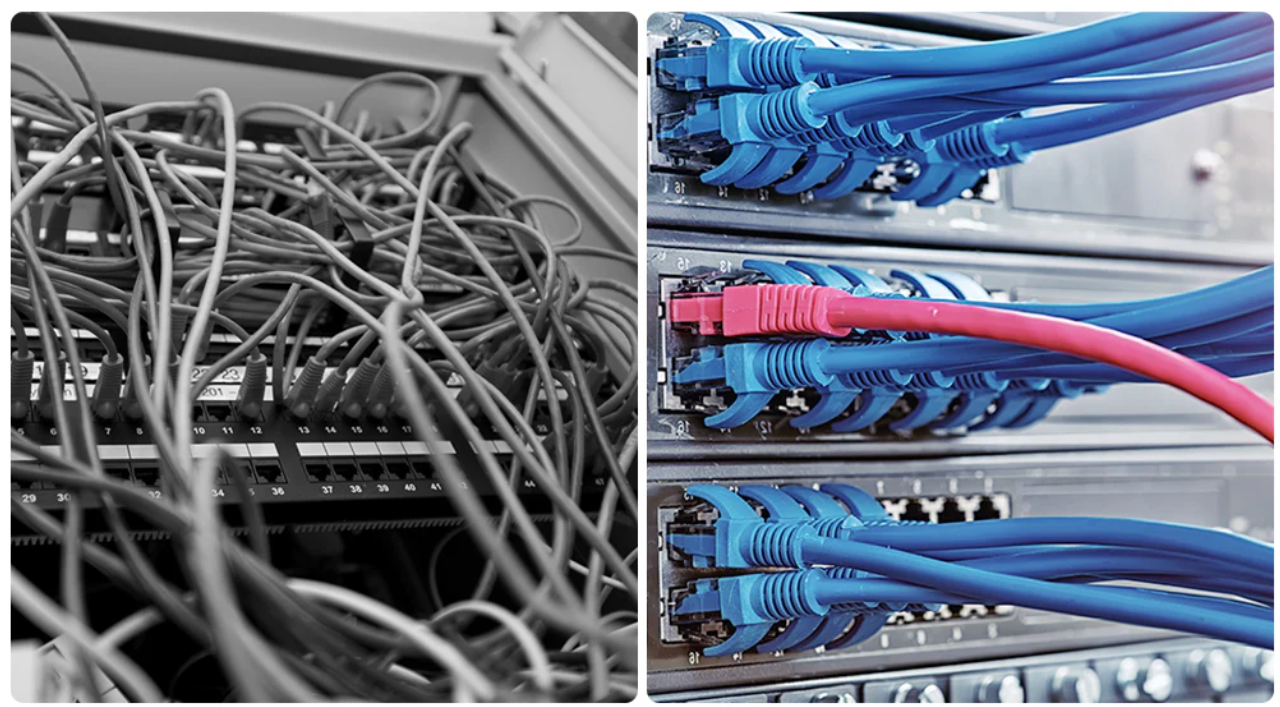
A simple routine helps: watch for plugs that don’t “click,” worn latch clips, and ports that feel loose. In dusty spaces, a quick blast of compressed air on exposed RJ45 jacks can prevent intermittent contact problems.
Low-quality cables and connectors may work at first, then become unstable after weeks of daily use. For high-traffic ports, PoE runs, or longer routes, using a dependable RJ45 jack and a properly rated Ethernet cable saves troubleshooting time later.
At GLGNet, we specialize in producing high-quality RJ45 jack connectors and other networking solutions. Our commitment to excellence ensures you receive reliable products that minimize common problems like poor connections and compatibility issues. With a wide range of types of RJ45 jacks available, you can easily find the perfect fit for your networking needs.
What is an RJ45 jack used for?
An RJ45 jack is primarily used to connect Ethernet cables in networking environments.
How can I tell if my RJ45 jack is faulty?
Symptoms include slow internet speeds, frequent disconnections, or visible damage to the jack.
Can I repair a bent pin on an RJ45 jack?
Yes, bent pins can often be carefully straightened, or you can replace the jack if necessary.
What types of cables are compatible with RJ45 jacks?
Common types include Cat5, Cat5e, and Cat6 cables.
How often should I check my network connections?
Regular checks every few months are recommended to ensure everything is functioning optimally.